
SDR-Control CAT Server
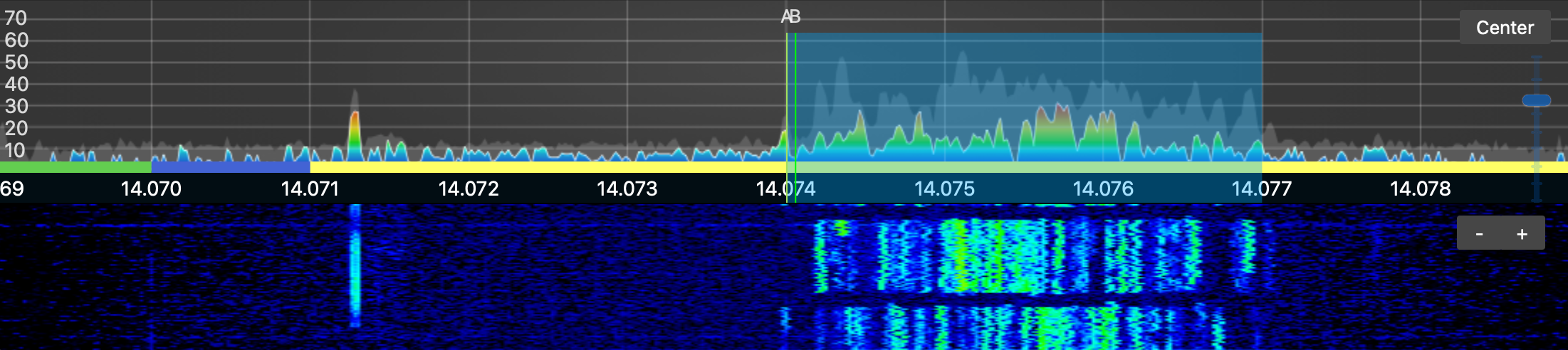
Most ham radio applications are written for the Windows environment, but for the most part I got off the Microsoft train when I no longer needed a work-based laptop. I try to be OS agnostic, and feel that Microsoft is great when you have to exist in a networked environment, Apple is great when you don't care about money, and Linux is great if you don't value your time. For better or worse I now rely on an Apple and Icom environment, and that pretty much led me to the SDR Control app. I think this is a marvelous piece of software which Marcus and Jan Roskosch made available for a song.
However, I never could figure out how to have it interact with other valuable programs like WSJT-X and FLdigi. I used Loopback to try to deal with soundcard issues, but it never seemed to work well. Two elements came together to change that. First, playing with ChatGPT was just the thing to help me navigate all of the little questions that came up when tryng to get these programs to work. It enabled me to diagnose issues so I could go back to Marcus and report on some problems that were not my own making. Second, SDR-Control changed the way it dealt with audio, using Common Radio Audio drivers for streaming. The quick story is that I have WSJT-X and FLdigi working nicely using SDR-Control's Hamlib server controlling the Icom ic-7300 through it usb port.
Here is a walk through mostly so I remember all of my settings; it might help others in a similar bind.
1. First, make sure you have the latest version of SDR-Control (2.9.141 or better) by looking at SDR-Control> About SDR-Control. Earlier versions do not have the audio streaming that make this so easy. Then, setup SDR-Control as a CAT server by going to the Radio>CAT Server and configuring it like this:
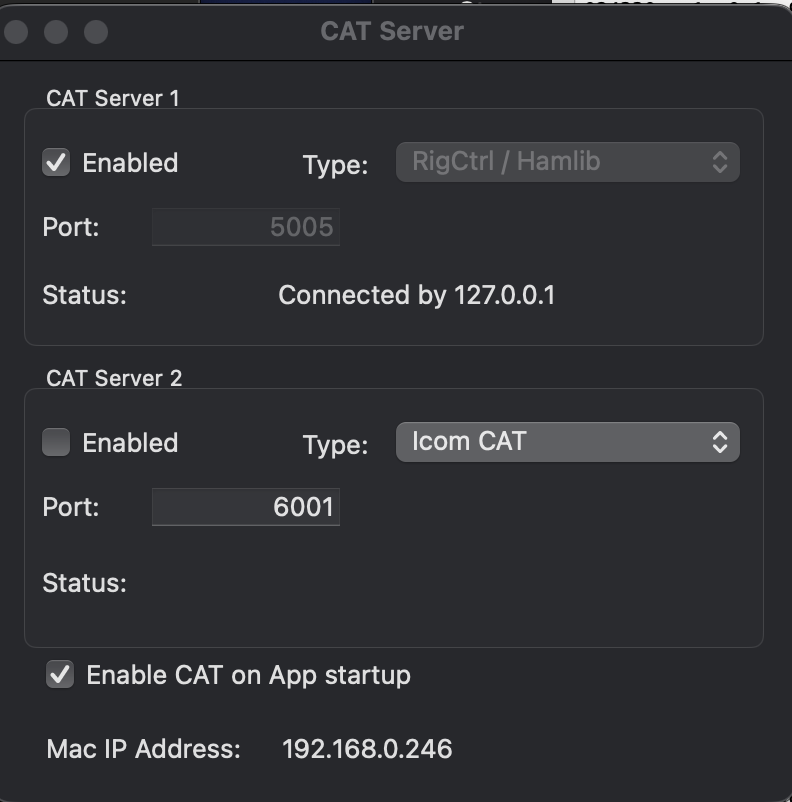
When CAT Server 1 is not enabled, the Type box will show 3 options. Choose Rig/Ctrl/Hamlib. The port number needs to be one that avoid conflicts with existing ports and other ports that are not open in your router. "5005" seemed to work well in my case. That port number will be used later in setting connections from SDR Control. Be sure to enable CAT Server 1 and CAT on App startup. Do not enable CAT Server 2 unless you are doing something fancy.
2. Next, configure the audio by going to Radio>Audio Streaming (the dropdown option just below CAT Server above). Enable both TX streaming and RX streaming in RX settings.
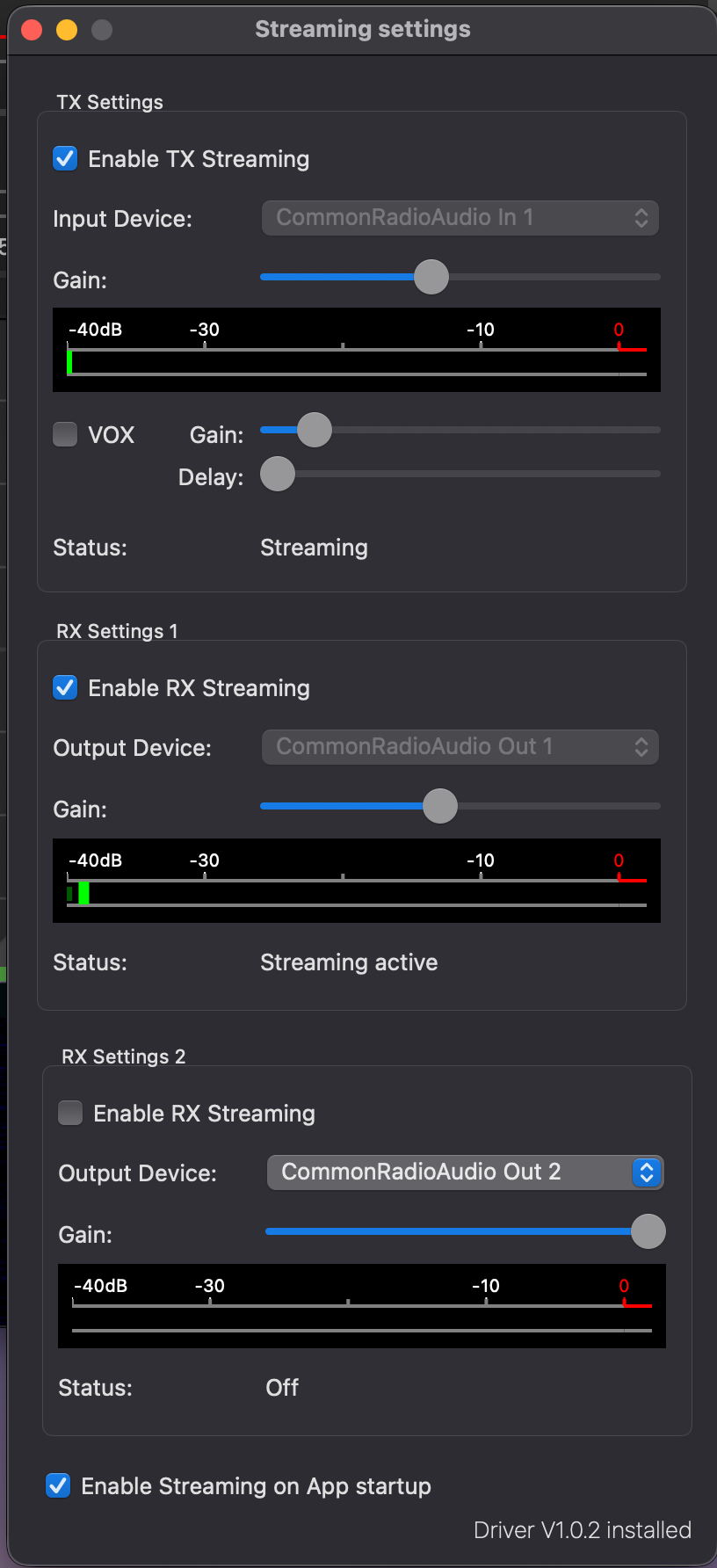
Input and Output Device should both be set to CommonRadioAudio 1. Leave the Gain at about 50% on both and be sure they are enabled. Do not enable RX Setting 2, but enable Streaming on App startup. If they are working, the Status should indicate Streaming or Streaming active.
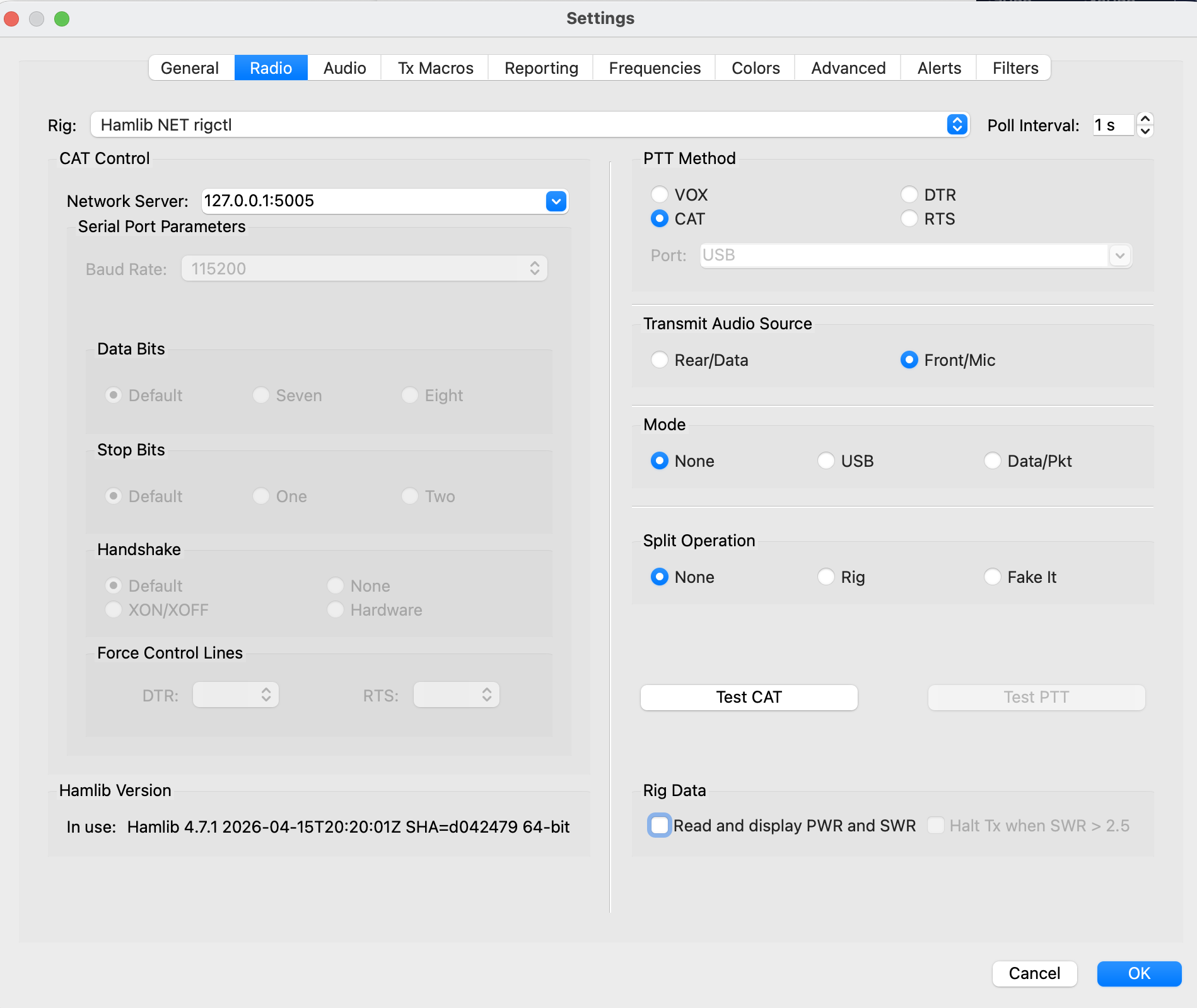
3. Now turn to WJST-X. My version was 3.0.2. Go to the "WSJT-X" next to the Apple in the top left and chose Preferences>Radio. The Rig should be set to Hamlib NET rigctl. and Network Server needs to be fed 127.0.0.1:5005. The port number should be the same here as in SDR-Control; port 5005 in my case. To get this working, press Test CAT and it should turn green. If it is red, there is a problem and it will tell you what that problem is. Press OK to close the window
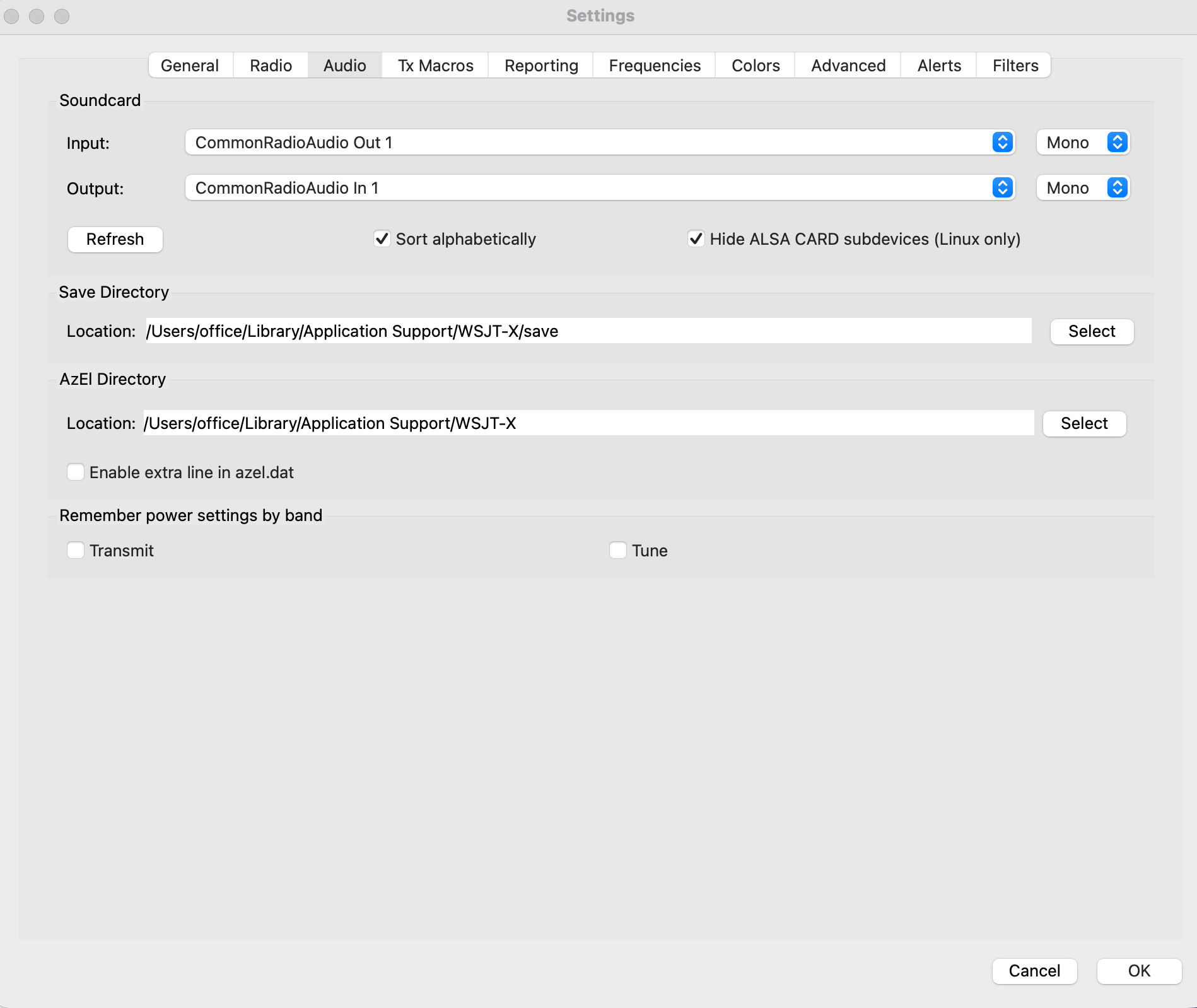
Next go to Preferences>Audio and set Input to CommonRadioAudio Out 1 and Output to CommonRadioAudio In 1. Press OK to close the window. At this point WSJT-X should be running.
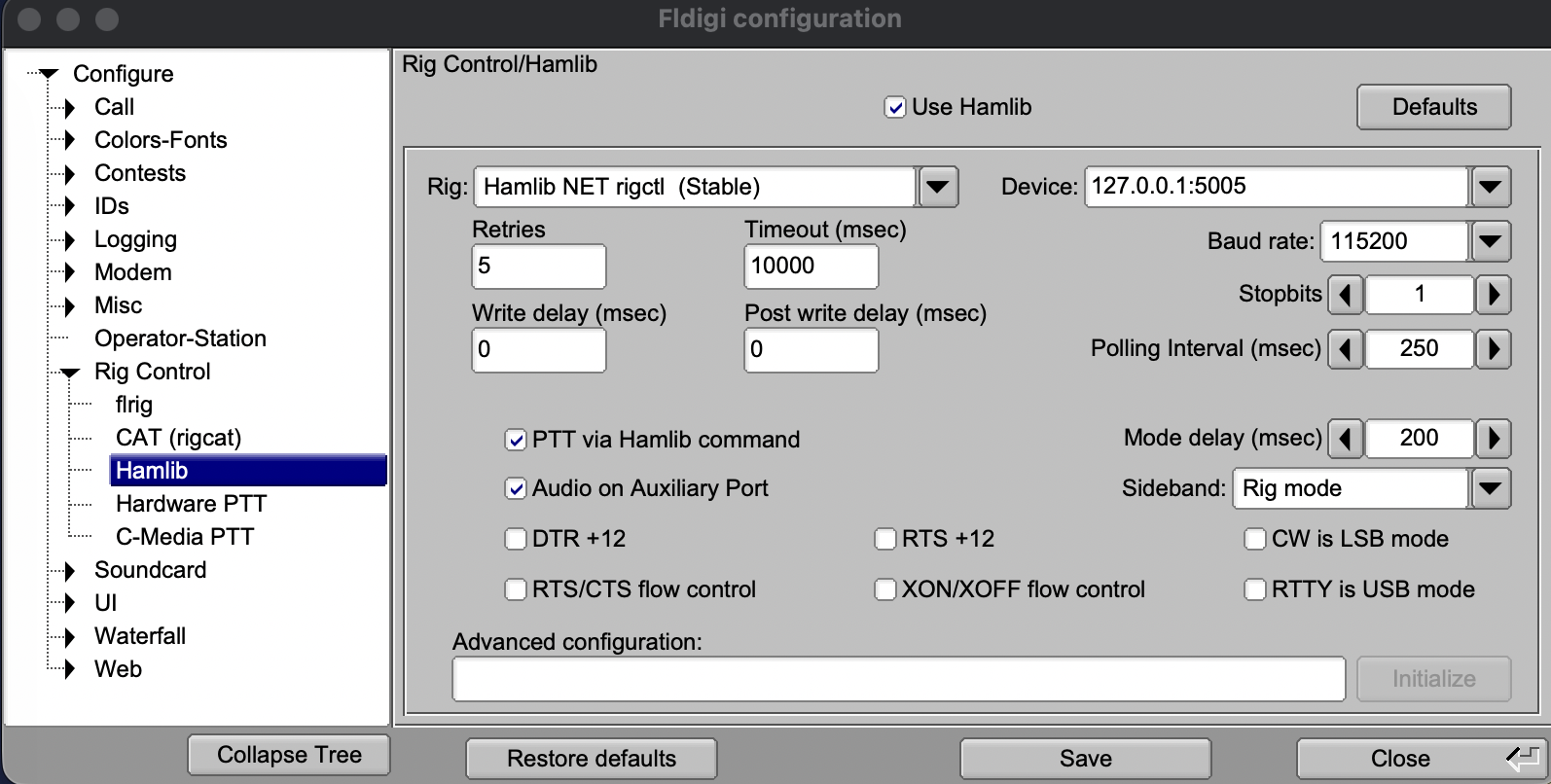
4. The process to set up FLdigi is similar. I used 4.2.13, and the settings are reached by Configure>Config Dialog>Rig Control>Hamlib. Enable Use Hamlib and set the rig to Hamlib NET rigctl (Stable). The Device may have some dropdown options, but you will have to type in the configuration 127.0.0.1:5005. This one had me daunted until ChatGPT told me to type it in. Make sure you save this before closing the page.
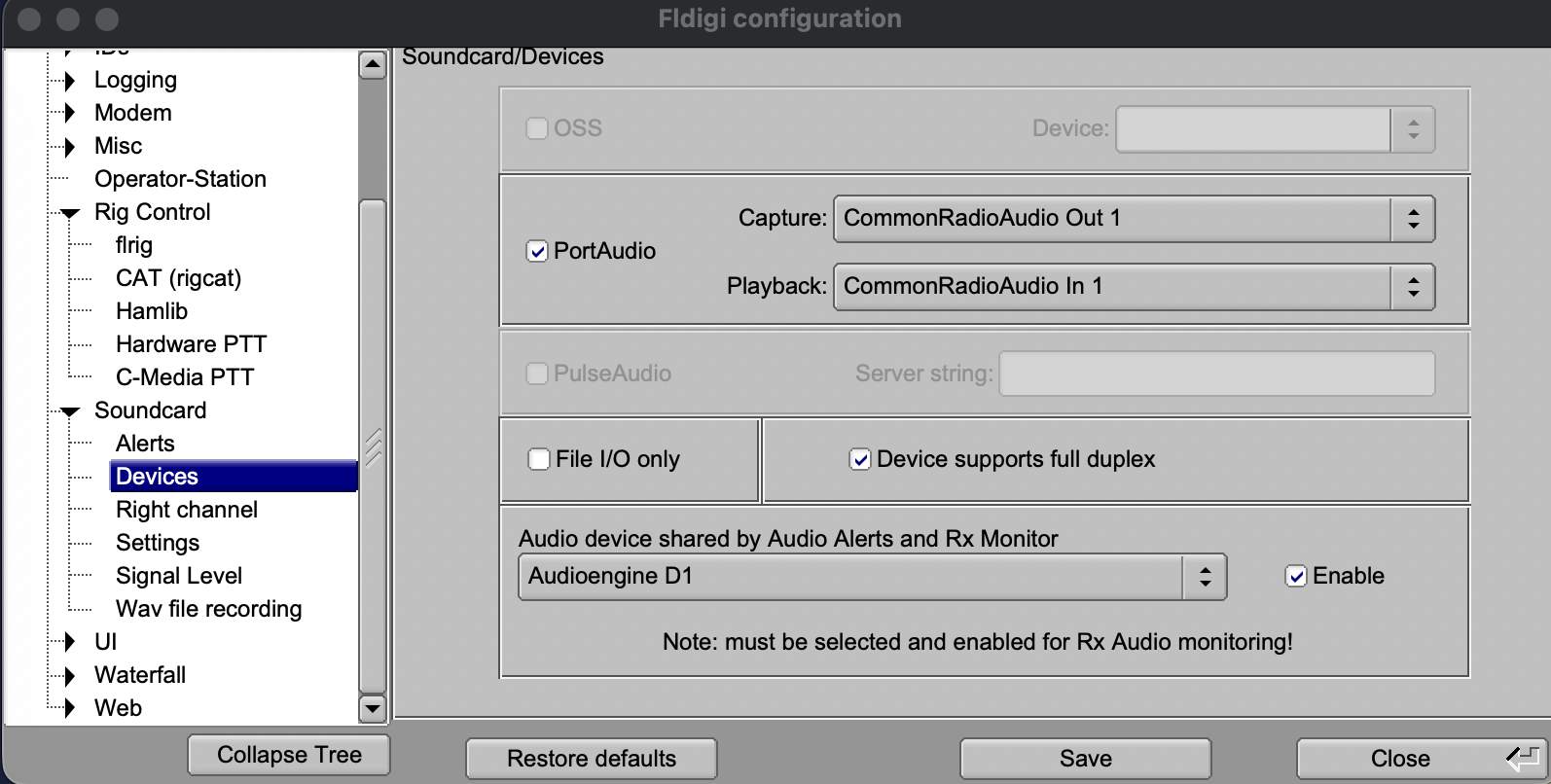
Move down the tree list on the left side and click on Soundcard>Devices. Enable PortAudio and set Capture to CommonRadioAudio Out 1 and Playback to CommonRadioAudio In 1. Save the page before closing.
I won't get into other aspects of these programs, but I just wanted to layout the CAT server and Audio streaming. Once you have this working, there are plenty other additions that you can make, including Grid Tracker2 on top of WSJT-X. Also, you should investigate the manual for information about ALC and audio levels.
SDR-Control finally has made the Mac the envy of Icom radio owners; I no longer need to dream about making this part of the program work. Have fun!